How to Measure GEO Beyond Prompt Monitoring
Prompt monitoring is a useful start, but it only measures synthetic visibility. The real GEO measurement stack adds Cloudflare bot data and GA4 referrals.

Most GEO tools still answer one question: do you appear for a tracked prompt?
That question matters. At Sitefire, we see prompt monitoring as the fastest way to check whether a brand shows up in ChatGPT, Gemini, Perplexity, Claude, or Google AI Mode for a defined set of prompts. It is the right starting point for most teams.
But it is only one layer of the system.
Prompt monitoring measures synthetic visibility. It does not tell you whether AI systems are actually touching your site. It does not tell you whether those systems are indexing your pages, fetching them for live answers, or sending humans to your content.
That gap matters because AI discovery now spans both machines and humans. According to Conductor's 2026 benchmarks, AI referral traffic still averages 1.08% of website traffic across industries. But Microsoft Clarity reports that AI-referred traffic converts at roughly 3x the rate of other channels. Small channel, high intent.
The practical implication is simple: prompt monitoring is table stakes, but it is not enough.
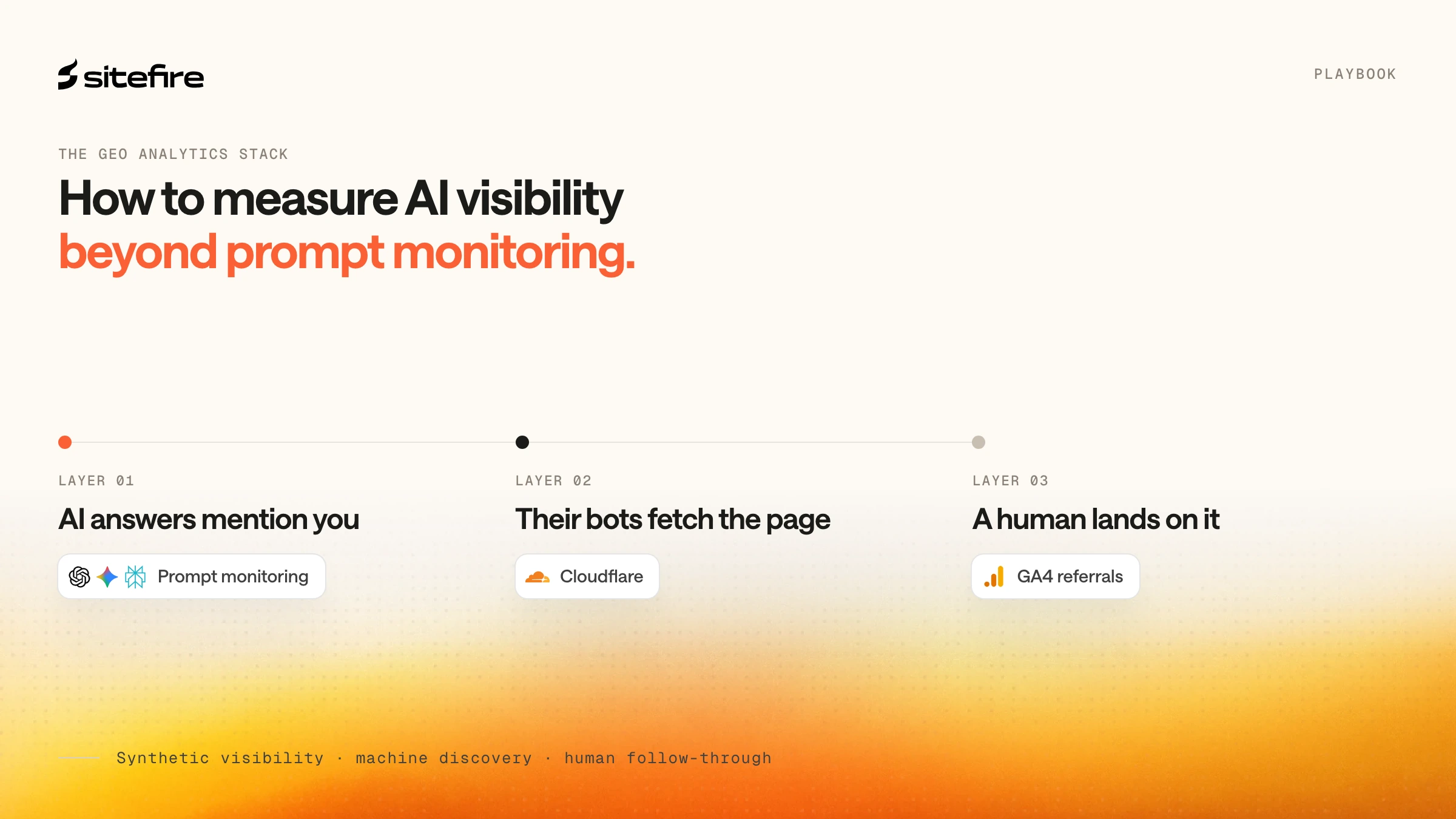
The stronger GEO measurement stack has three layers:
| Layer | What it measures | Best data source | Main blind spot |
|---|---|---|---|
| Synthetic visibility | Whether your brand appears in tracked AI prompts | Prompt monitoring tools | No evidence of real crawling or visits |
| Machine-side discovery | Which AI systems touched which URLs, and how | Cloudflare bot and request analytics | No session or conversion data |
| Human follow-through | Which AI platforms sent people, where they landed, and what they did | GA4 referrals | No view into bot fetches or indexing |
This article explains what each layer can and cannot tell you, why GEO dashboards often disagree, and how to use Cloudflare and GA4 to extend tracking beyond prompt monitoring.
What prompt monitoring actually measures
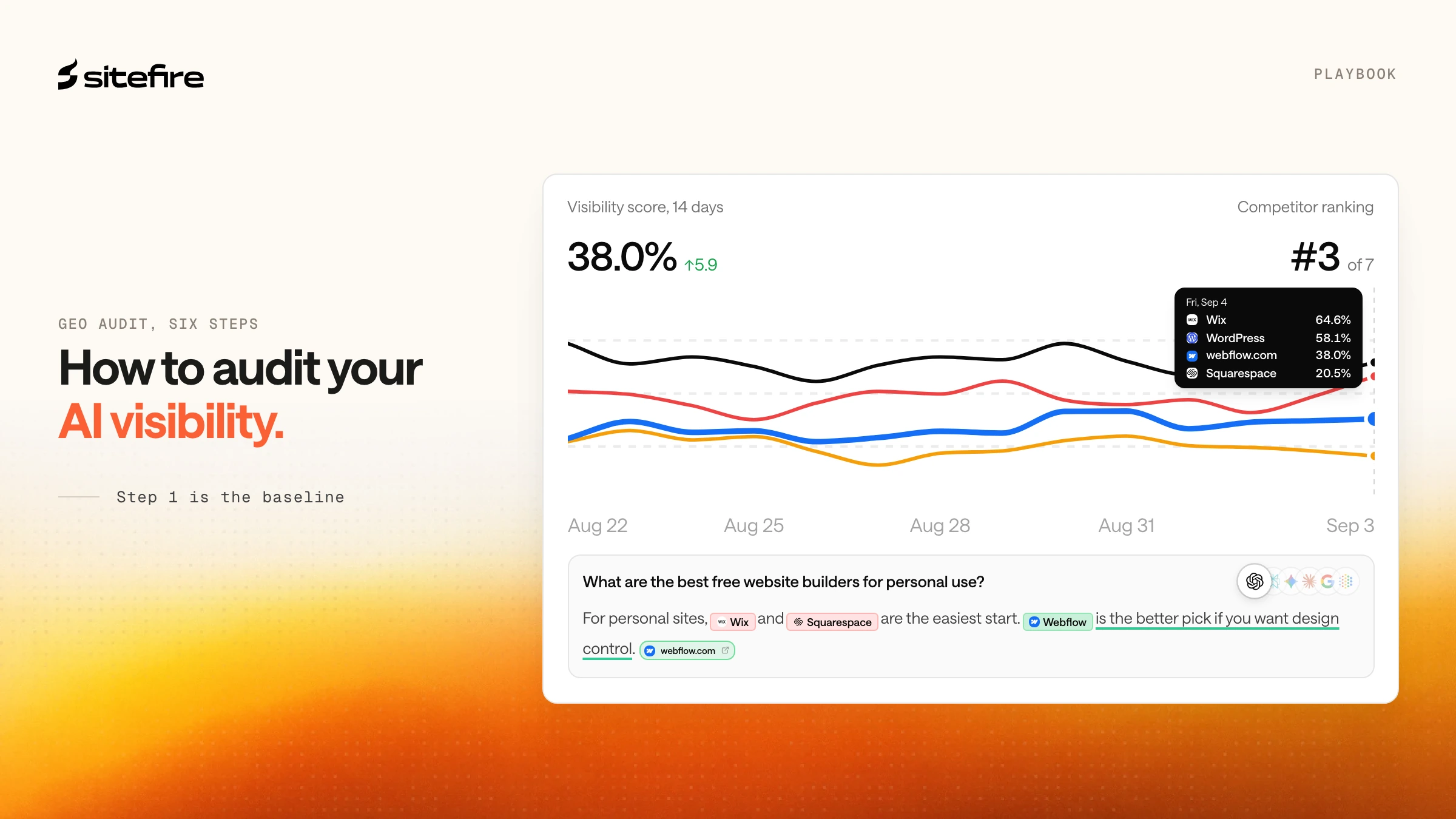
Prompt monitoring is a controlled lab test that measures synthetic visibility across a fixed prompt set, not whether AI systems or humans actually reached your site.
You choose a prompt set, run those prompts across one or more AI platforms, and track whether your brand is mentioned, cited, ranked, or omitted. That gives you a synthetic baseline for visibility over time.
This is useful for three reasons:
-
It gives SEO and marketing teams a repeatable benchmark
-
It reveals which prompts matter most in a category
-
It shows whether content changes improve answer visibility
But the model is synthetic by design. The prompt set is chosen in advance. The answers are generated in a controlled environment. The output tells you how visible you are in that test, not how AI systems interact with your site in the wild.
That creates two common failure modes.
First, teams mistake prompt visibility for traffic. Ranking well in a monitored prompt set does not guarantee that AI platforms are crawling or fetching the underlying page often enough to matter.
Second, teams mistake lack of prompt visibility for lack of impact. A brand may be absent from a tracked prompt set while still seeing AI systems index its pages, fetch product documentation, and send qualified referral traffic from adjacent prompts.
Prompt monitoring is still valuable. It is just incomplete.
Not all AI bots mean the same thing
The Cloudflare layer gets much more useful once you stop treating "AI bot traffic" as one bucket.
OpenAI, Anthropic, and Perplexity each document multiple bot roles. Those roles imply different things for GEO.
| Bot type | Examples | What it does | GEO meaning |
|---|---|---|---|
| Training crawler | GPTBot, ClaudeBot | Collects content for model training or long-term ingestion | Weak immediate signal, but relevant for allow or block decisions |
| Search crawler | OAI-SearchBot, Claude-SearchBot, PerplexityBot | Indexes pages for search and citation retrieval | Strong signal for discoverability and citation eligibility |
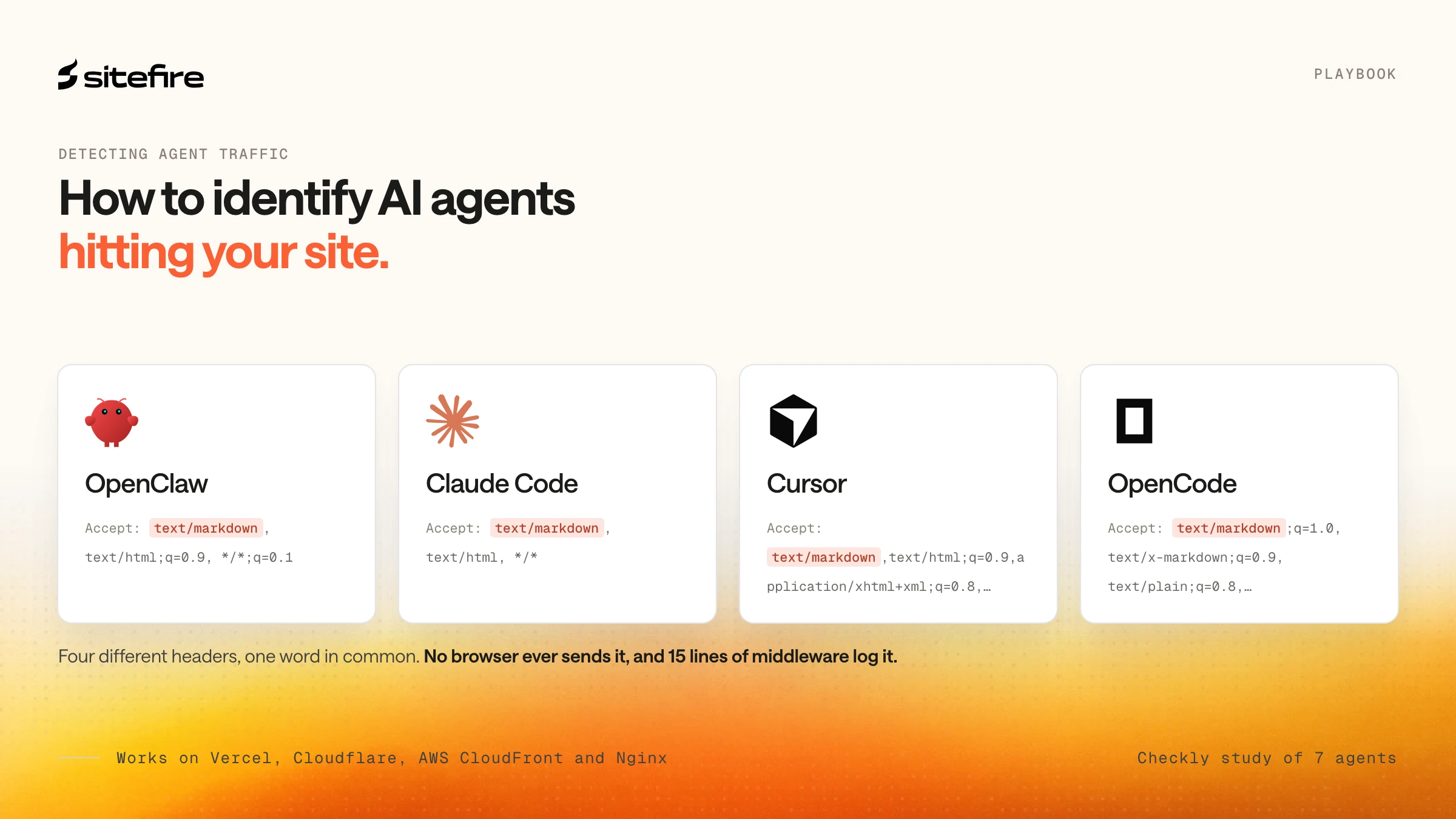
| User-initiated fetcher | ChatGPT-User, Claude-User | Fetches a page because a real user asked the model to inspect it | Strongest machine-side signal that your content is being evaluated live |
This distinction is easy to miss if you only look at a generic "AI bots" chart.
A GPTBot hit, an OAI-SearchBot crawl, and a ChatGPT-User fetch are not interchangeable. One suggests long-term model ingestion. One suggests index coverage for AI search. One suggests live user demand.
That difference should change how you interpret the data.
Layer 1: Prompt monitoring is the synthetic visibility layer
Prompt monitoring answers one core question: are we in the answer?
That is still the first question GEO teams should ask. It is especially useful when:
-
you are building an initial visibility baseline
-
you want to compare visibility across models
-
you want to test whether new content changes answer inclusion
-
you need a stable prompt set for reporting
At Sitefire, the more common mistake is not using prompt monitoring. It is stopping there.
Prompt monitoring cannot tell you:
-
whether AI systems crawled the page before citing it
-
whether the citation came from your site or from a third-party page
-
whether AI platforms are fetching your URLs during live answers
-
whether those answers send people to your site
In other words, prompt monitoring is about answer visibility, not about site interaction.
Layer 2: Cloudflare is the machine-side discovery layer
Cloudflare is useful because it sees requests before they become analytics sessions. At Sitefire, this is the layer we use to separate machine-side discovery from human traffic.
In a live probe of Cloudflare's GraphQL analytics surface, we validated that the httpRequestsAdaptiveGroups dataset can be filtered and grouped by a much richer set of fields than most marketing teams expect.
At the request level, Cloudflare can expose fields such as:
| Field | What it tells you | Why it matters for GEO |
|---|---|---|
userAgent | Which bot or browser made the request | Separates GPTBot, PerplexityBot, ChatGPT-User, and standard browsers |
clientRequestPath | Which URL path was requested | Shows which content AI systems touch |
clientRequestHTTPHost | Which hostname was requested | Useful for multi-host sites or docs subdomains |
clientRefererHost | Which referrer host triggered the request | Helps isolate traffic from chatgpt.com and similar sources |
edgeResponseStatus | Which HTTP status code the edge returned | Useful for spotting blocked or failing pages |
cacheStatus | Whether the response hit cache | Helps interpret serving behavior at scale |
sum.edgeResponseBytes | How much data was returned | Useful for distinguishing page loads from smaller asset requests |
verifiedBotCategory | Cloudflare's verified bot classification | Adds context where available |
botScore | Cloudflare bot score | Helps separate likely automation from standard traffic |
botManagementDecision | Whether Cloudflare challenged, served, or acted on the request | Useful when bot management settings interfere with access |
datetimeHour | Time grain for grouping | Useful for trend analysis and incident windows |
This is why Cloudflare is the right machine-side measurement layer for GEO.
It can show:
-
which AI systems are touching your site
-
which pages they request
-
when that activity happens
-
whether requests succeed, fail, or get challenged
-
whether traffic appears to come from search crawlers or live user fetchers
That surface is much more valuable once combined with the bot taxonomy above.
For example:
-
A spike in
PerplexityBotrequests to comparison pages suggests active indexing for search retrieval -
Repeated
ChatGPT-Userfetches to product docs suggest live user prompts are triggering page reads -
ClaudeBotactivity on help center pages may reflect training or broader ingestion, not immediate discoverability
Cloudflare's limits matter too
Cloudflare is powerful, but it is not raw log storage.
The official Settings node docs and live zone validation show that adaptive analytics nodes are bounded by plan-specific limits. In the live zone we tested, httpRequestsAdaptiveGroups exposed:
-
about 90 days of historical lookback
-
a maximum query duration of about 32 days
-
a 10,000-row page size
-
a 40-field limit per query
Cloudflare also documents adaptive sampling for some analytics nodes. That means this layer is excellent for operational GEO analytics, but it is not the same thing as full raw request logs.
There is another practical caveat: referral and path-level queries can be noisy if you do not filter carefully. AI-referred page views often trigger image, CSS, JavaScript, and font requests. If you group by referrer host without filtering for page requests, your top "AI referral traffic" rows may be assets, not pages.
The useful move is to segment the data properly.
For GEO, that usually means filtering Cloudflare queries by:
-
known AI bot user agents
-
page paths rather than asset paths
-
response status
-
time window
-
referrer host, where relevant
Cloudflare answers a very specific question: which AI systems are touching which URLs, and what kind of requests are they making?
Layer 3: GA4 is the human follow-through layer
GA4 answers a different question: did AI platforms send humans here, and what happened next?
Through the Google Analytics Data API, GA4 exposes a set of dimensions and metrics that make AI referral traffic much more measurable than many teams assume.
In a live property validation, we confirmed that AI-relevant dimensions such as these are queryable:
| Dimension or metric | What it tells you | GEO use |
|---|---|---|
sessionSource | Where the session came from | Isolates referral traffic from AI platforms |
sessionMedium | Which medium GA4 attributed | Distinguishes referral classification |
sessionSourceMedium | Combined source and medium | Useful for chatgpt.com / referral style reporting |
pageReferrer | Previous URL where available | Helps inspect referral provenance |
landingPage | Session landing page | Shows where AI-referred users first arrived |
landingPagePlusQueryString | Landing page with query string | Useful for granular page analysis |
fullPageUrl | Full destination URL | Useful for path-level reporting |
sessions | Number of sessions | Basic traffic volume |
engagedSessions | Sessions meeting engagement criteria | Adds quality signal |
engagementRate | Share of engaged sessions | Useful for comparing AI referral traffic quality |
keyEvents | Configured conversion or key events | Measures whether AI visits did anything meaningful |
sessionKeyEventRate | Share of sessions with key events | Useful for outcome reporting |
This is the layer where GEO starts to connect to the rest of the marketing stack.
GA4 can tell you:
-
which AI platforms send people to the site
-
which pages those visitors land on
-
whether those visits engage
-
whether they trigger key events
That makes GA4 the right place to answer questions like:
-
Is AI referral traffic from ChatGPT growing?
-
Which pages attract the most AI-sourced visits?
-
Does AI referral traffic land on blog posts, product pages, or docs?
-
Is AI referral traffic driving high-intent sessions?
GA4 also has real limitations
GA4 does not see bots. It only sees human visits that successfully execute your analytics setup.
That limitation has several implications:
-
AI bots can crawl and fetch a page without generating any GA4 session
-
ad blockers, consent settings, and broken client-side tagging all reduce visibility
-
attribution can get messy, especially when referral handling is inconsistent
In the live property probe, AI-related rows appeared as both chatgpt.com / referral and chatgpt.com / (not set). That is exactly the kind of classification noise teams should expect in real deployments.
Google's own guidance on unwanted referrals makes the broader point clear: referral interpretation depends on stream configuration, referral exclusions, and how the visit actually arrives.
GA4 remains necessary. It is the referral and engagement layer, not the crawler layer.
Why these dashboards disagree
These dashboards disagree because prompt monitoring, Cloudflare, and GA4 measure different stages of the GEO funnel rather than the same event.
A monitored prompt may improve while GA4 referrals stay flat. Cloudflare may show more ChatGPT-User fetches while prompt visibility appears unchanged. GA4 may show AI referrals landing on a page that almost never appears in your tracked prompt set.
That is not a bug. It is what you should expect when each system measures a different layer.
| Scenario | Prompt monitoring | Cloudflare | GA4 |
|---|---|---|---|
| Brand appears more often in tracked prompts | Strong signal | May or may not move | May or may not move |
| Search crawler indexes a page more often | No signal | Strong signal | No signal |
| User asks ChatGPT to inspect a page | No signal unless tracked prompt matches | Strong signal through ChatGPT-User | Possible later signal if user clicks through |
| Human clicks from an AI platform | Indirect at best | Partial request evidence | Strongest signal |
Trying to force these systems into one number is a category error.
At Sitefire, we treat them as complementary instruments, not duplicate dashboards.
A practical GEO measurement stack for SEO leaders and VPs of Marketing
If you have only prompt monitoring today, the next step is extending it.
Here is the simplest useful stack:
1. Keep prompt monitoring as the baseline
Use a stable prompt set to track visibility across the models that matter to your category. This remains the clearest synthetic benchmark for answer inclusion.
2. Add Cloudflare for machine-side discovery
Track:
-
AI bot user agents by class
-
top requested content paths
-
AI referrer hosts
-
response status and cache behavior
The key is segmentation. Break traffic into training crawlers, search crawlers, and user-initiated fetchers. Those categories tell very different stories.
3. Add GA4 for human follow-through
Track:
-
AI referral sources
-
landing pages
-
engaged sessions
-
key events
This is where you connect GEO to traffic quality and business outcomes.
4. Compare patterns, not just counts
The most useful GEO reporting questions are not "what is the one true number?"
They are:
-
Are tracked prompt wins translating into more AI-driven page fetches?
-
Are user-initiated fetches concentrating on the pages we expect?
-
Are AI platforms sending humans to the pages we want them to send?
-
Are those visits engaging or converting?
That is the measurement model mature GEO teams will need.
Key Takeaways
-
Prompt monitoring is still useful, but it only measures synthetic visibility
-
Cloudflare adds the machine layer: which AI systems touched which URLs, when, and with what request metadata
-
GA4 adds the human layer: which AI platforms sent people, where they landed, and what they did next
-
AI bot traffic should be segmented into training crawlers, search crawlers, and user-initiated fetchers
-
Cloudflare analytics is rich, but it is bounded by sampling and query limits, so it is not a raw log replacement
-
GA4 is necessary for referral and engagement analysis, but it cannot see bot fetches
-
GEO dashboards disagree because they are measuring different parts of the funnel, not because one of them is broken
The Bottom Line
Prompt monitoring got GEO teams started because it answered the most obvious question first: are we in the answer?
That was the right first metric. It is no longer the complete one.
At Sitefire, we think about this as a layered system. Prompt monitoring is the visibility layer, Cloudflare is the discovery layer, and GA4 is the follow-through layer. Together they form a more realistic picture of how AI platforms find, evaluate, and send traffic to your content.
The strategic shift is simple. Stop asking one dashboard to explain the whole channel. Prompt monitoring tells you whether you appear. Cloudflare tells you whether AI systems are touching your pages. GA4 tells you whether people arrive.
That is the real GEO measurement stack.
Frequently Asked Questions
Is prompt monitoring still useful for GEO?
Yes. Prompt monitoring is still the best way to measure synthetic visibility across a controlled prompt set. It tells you whether your brand appears in AI answers and how that changes over time. The problem is treating it as the whole system.
What can Cloudflare show that GA4 cannot?
Cloudflare sees request-level activity at the edge, including user agents, paths, referrer hosts, response status, cache status, response bytes, and bot-related fields. It can show AI systems touching your site before any human session exists. GA4 cannot see those bot requests.
What can GA4 show that Cloudflare cannot?
GA4 shows human sessions, landing pages, referrers, engagement, and key events. It can tell you whether AI platforms actually sent people to your site and what those visitors did next. Cloudflare does not provide that session and conversion layer.
Why do GEO dashboards often disagree with each other?
Because they measure different layers of the funnel. Prompt monitoring measures synthetic answer visibility, Cloudflare measures machine-side discovery, and GA4 measures human follow-through. Different numbers across these systems are expected.
Do I need all three layers from day one?
Not necessarily. Prompt monitoring is the right starting point. But once you want to understand whether AI systems are touching your content and whether those systems send qualified visitors, you need Cloudflare and GA4 as well.
Sources
-
Google Analytics. "Metadata." Google for Developers, 2024. https://developers.google.com/analytics/devguides/reporting/data/v1/rest/v1alpha/Metadata
-
Google Analytics Help. "Identify unwanted referrals." Analytics Help, accessed 2026. https://support.google.com/analytics/answer/10327750
-
Cloudflare. "Settings node." Cloudflare Analytics docs, 2025. https://developers.cloudflare.com/analytics/graphql-api/features/discovery/settings/
-
Cloudflare. "Sampling." Cloudflare Analytics docs, 2025. https://developers.cloudflare.com/analytics/graphql-api/sampling/
-
OpenAI. "Overview of OpenAI Crawlers." OpenAI Developers, accessed 2026. https://developers.openai.com/api/docs/bots
-
Anthropic. "Does Anthropic crawl data from the web, and how can site owners block the crawler?" Claude Help Center, 2026. https://support.claude.com/en/articles/8896518-does-anthropic-crawl-data-from-the-web-and-how-can-site-owners-block-the-crawler
-
Perplexity. "Perplexity Crawlers." Perplexity Docs, accessed 2026. https://docs.perplexity.ai/docs/resources/perplexity-crawlers
-
João Tomé. "The crawl-to-click gap: Cloudflare data on AI bots, training, and referrals." The Cloudflare Blog, 2025. https://blog.cloudflare.com/crawlers-click-ai-bots-training/
-
Conductor. "The 2026 AEO / GEO Benchmarks Report." Conductor Academy, 2026. https://www.conductor.com/academy/aeo-geo-benchmarks-report/
-
Ihab Rizk. "AI Traffic Converts at 3x the Rate of Other Channels (Study)." Microsoft Clarity Blog, 2025. https://clarity.microsoft.com/blog/ai-traffic-converts-at-3x-the-rate-of-other-channels-study/
-
Jochen Madler. "How to Detect AI Agents Like OpenClaw Visiting Your Website." Sitefire Blog, 2026. https://sitefire.ai/blog/detect-ai-agent-traffic-openclaw
-
Jochen Madler. "Query Fan-Out: What AI Search Actually Does With Your Query." Sitefire Blog, 2026. https://sitefire.ai/blog/query-fan-out