Introducing: AI Sentiment
July 26, 2026
Sentiment is not just a score. Our claims and themes show you what AI says about your brand across thousands of answers.
You have been tracking and improving your visibility. But being visible isn’t enough. To win customers, you need to know what AI says about you, and why. Today we close that gap with Sentiment.
Your Sentiment Score
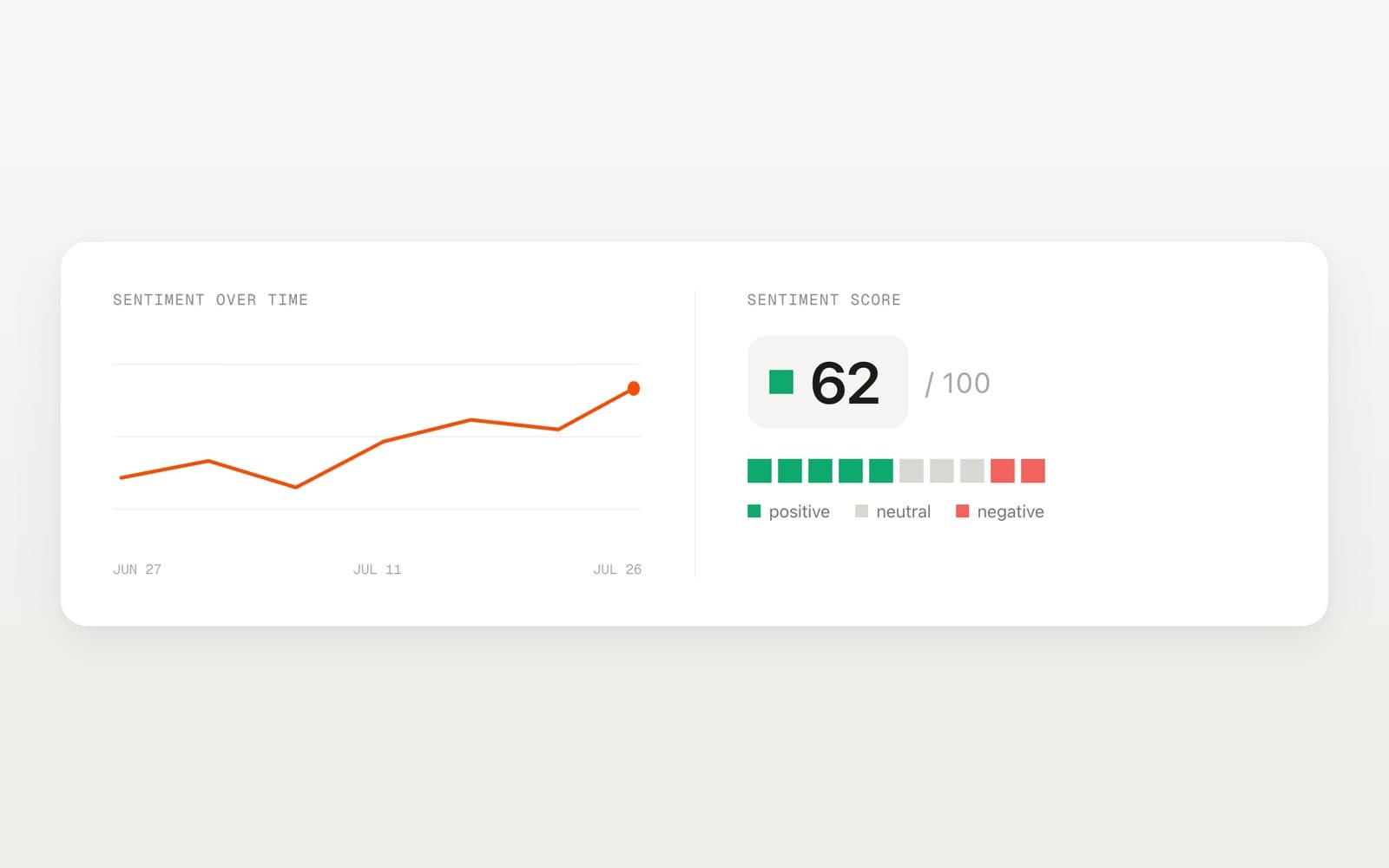
Requires Sitefire ProSitefire tracks sentiment on the prompts you already monitor. It detects positive, neutral, and negative statements about you and your competitors inside AI answers. The sentiment score is calculated from those statements like NPS (Net Promoter Score). Track it over time, compare to competitors, and filter by model, tag, and other dimensions.
Statements and Claims
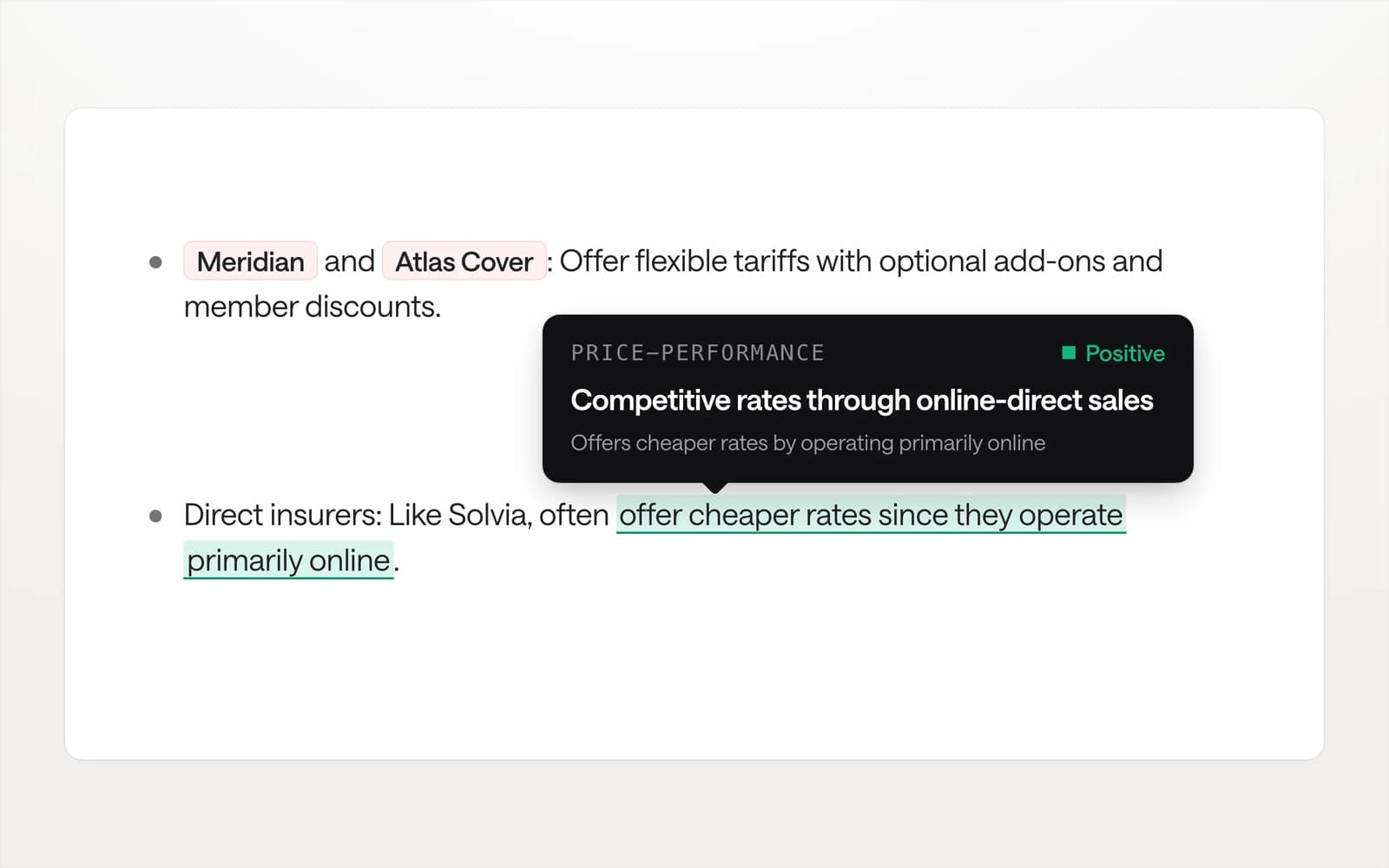
There are many ways to say the same thing. To give you a clearer overview, Sitefire groups similar statements from AI answers into one claim. A claim can be positive, neutral, or negative.
Themes: Where are we good and where are we bad?
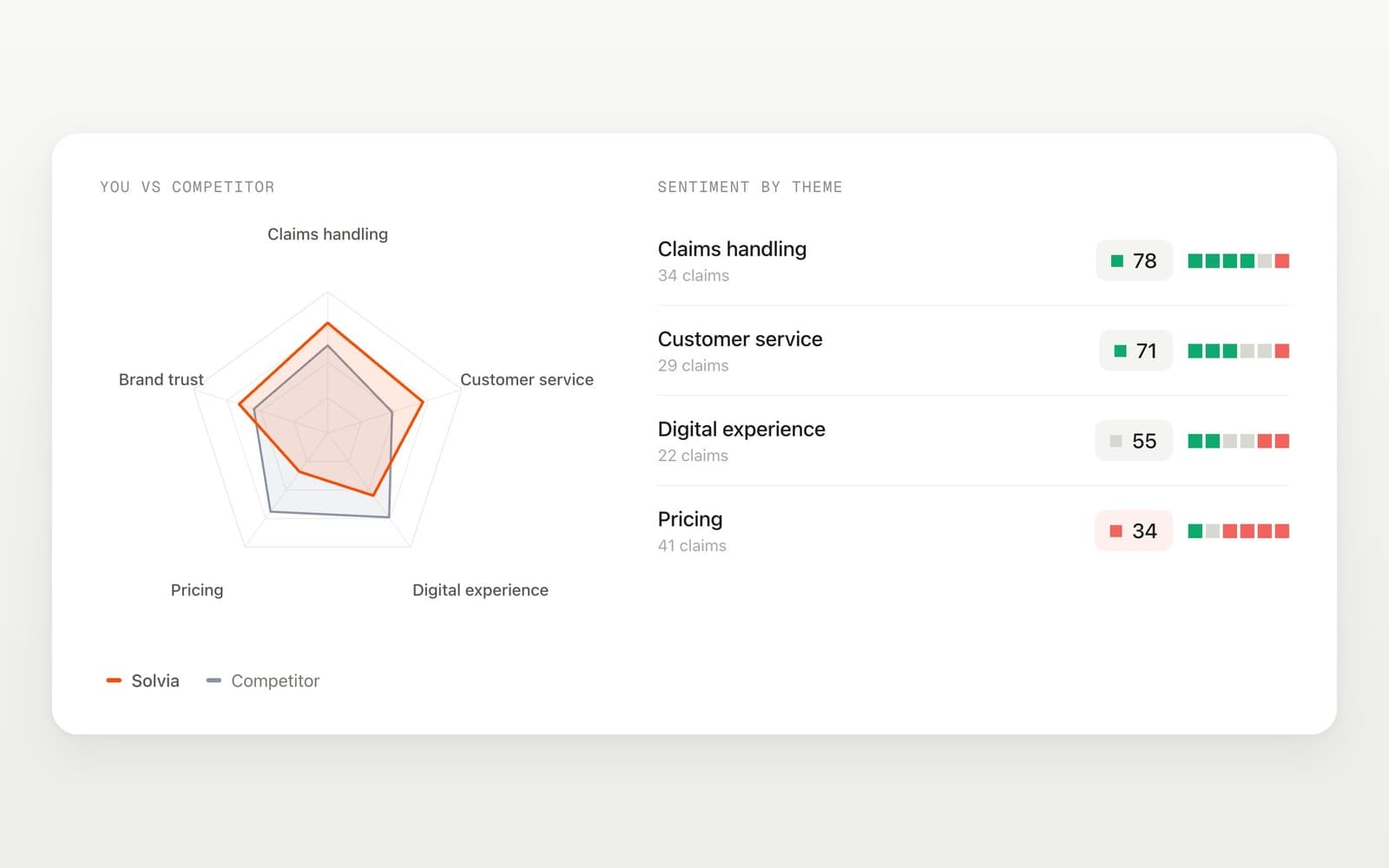
Each claim belongs to a theme (e.g., “Pricing”, “Customer Service”). Themes show you where you are doing well and what you can improve. They allow you to compare yourself to competitors along different dimensions.
Drivers: Where do negative claims come from?
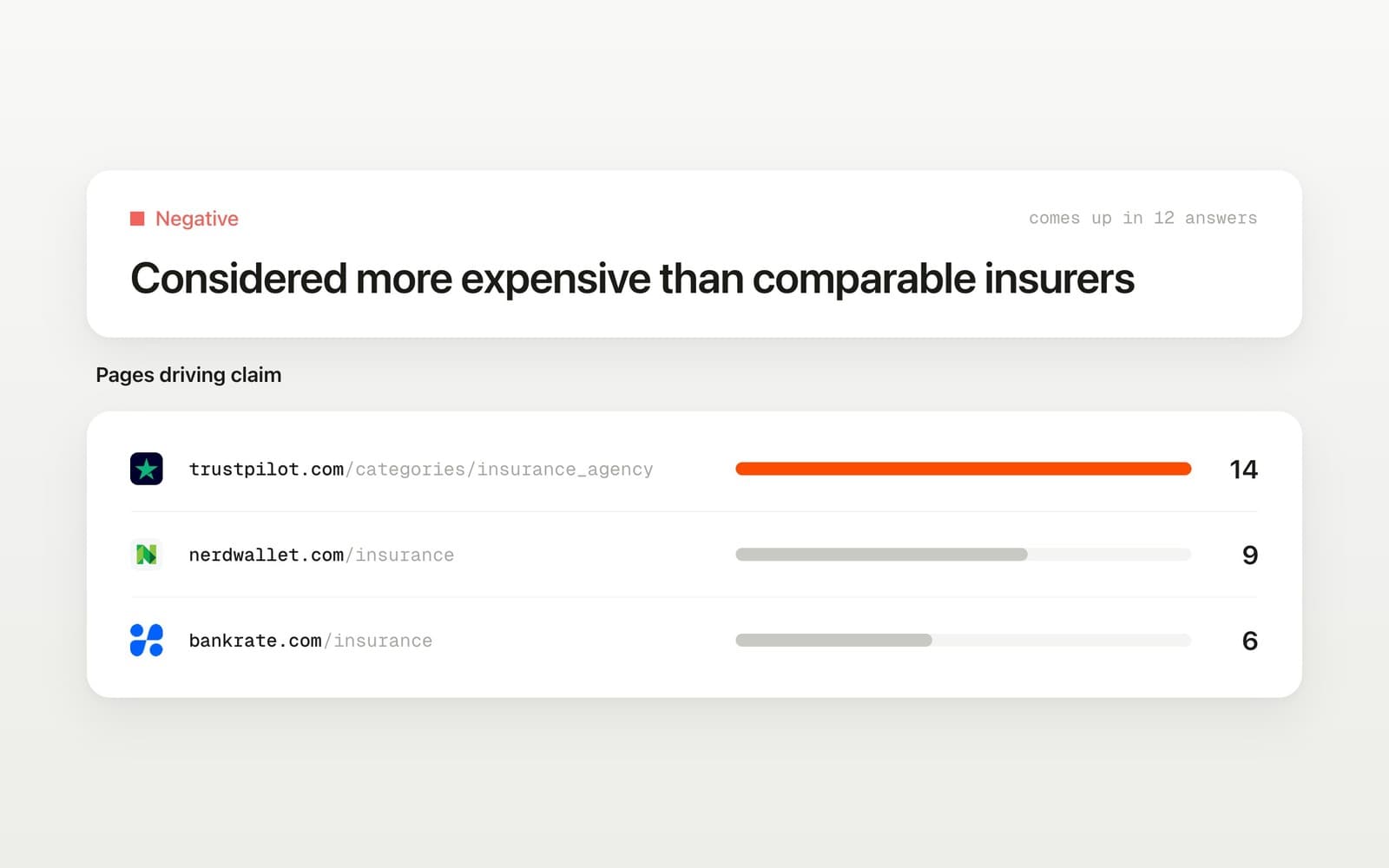
When a negative claim appears in an answer, Sitefire searches the web pages that the AI cited. If a cited page explicitly supports the claim, that page is marked as a driver. This helps you find and fix issues to improve your sentiment.
How to get Sentiment
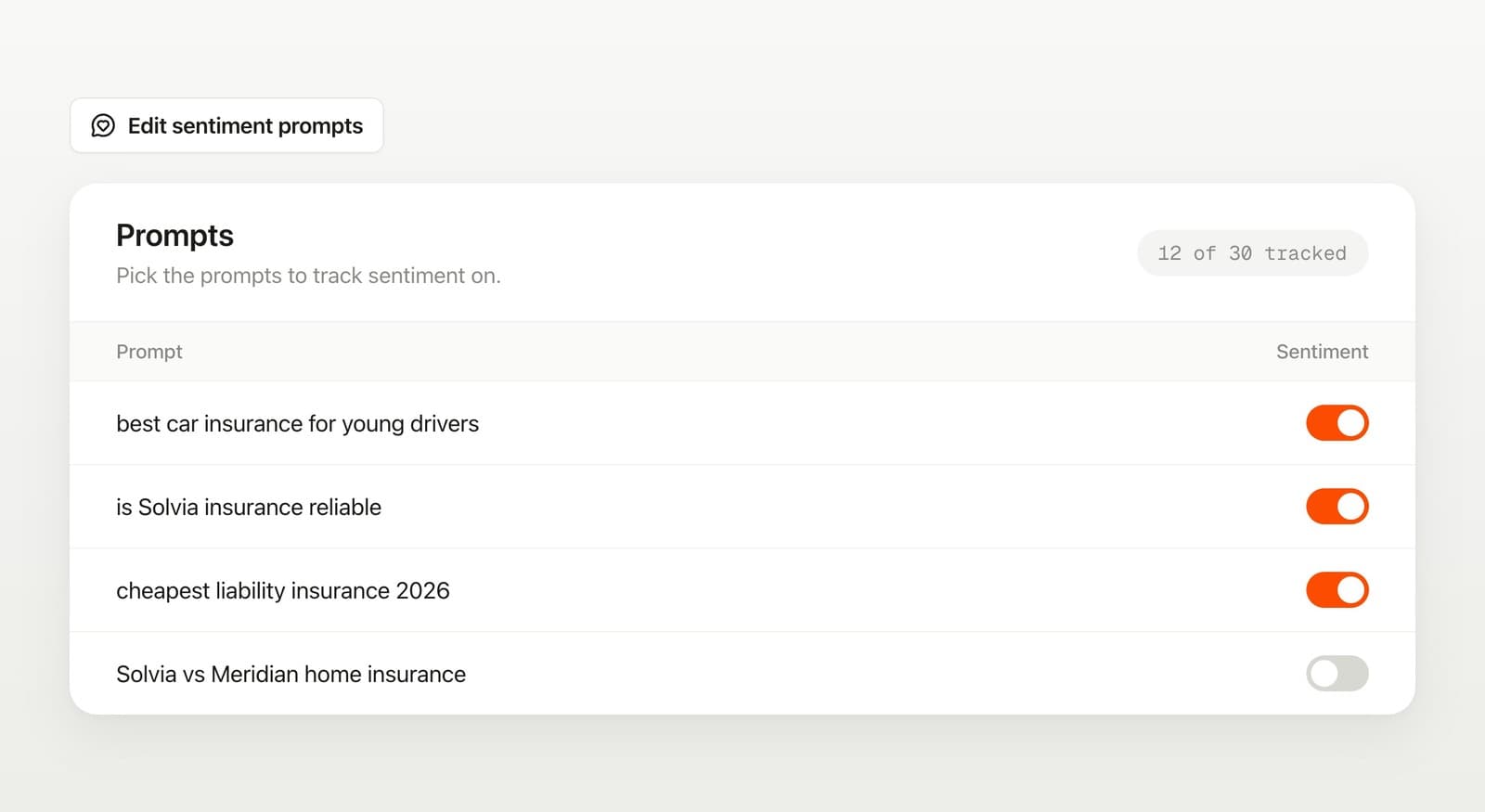
Sitefire Pro tracks sentiment on 30 of your prompts. We automatically selected some of your prompts to get started. But you can change the selection in the Prompts table. Not on Pro? Upgrade or talk to us to get started.
What we are working on
A rebuilt Traffic page, so you can see what AI visibility actually sends to your site. And more powerful agents across the platform. Stay tuned.